In computer programming, event-driven coding is how we make interactive software, animations, and video games. Our free printable scratch programming events worksheets introduce second graders to triggers, input event handlers, and key-press sensors. If you are looking for premium **scratch programming events grade 2** worksheets or need **event driven programming for kids** lessons, this A4 PDF collection is the perfect fit.
What Is Event-Driven Programming?
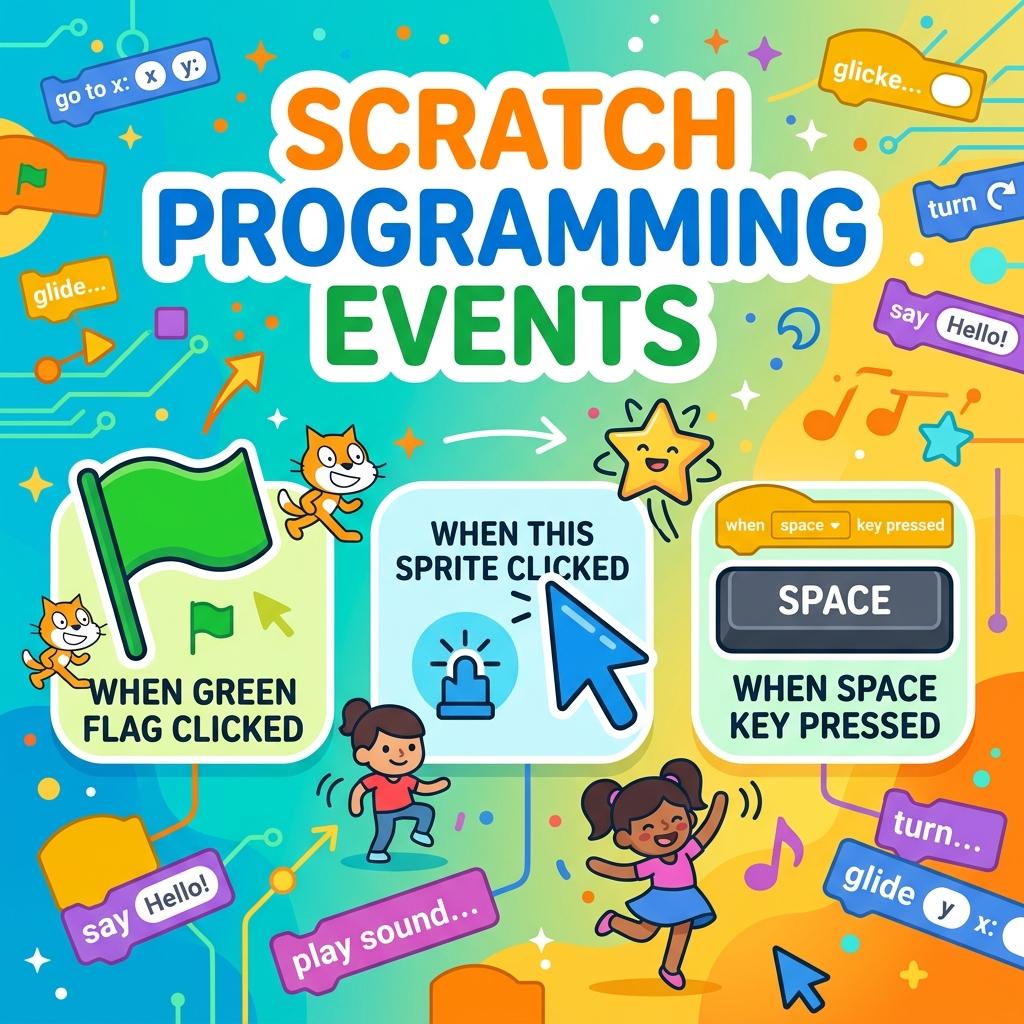
Event-driven programming is a core development concept. An event is an action that the computer can detect, such as clicking a mouse, pressing a key, or a timer running out. The code that responds to the event is called the **event handler**. In Scratch, event blocks have rounded tops (hat blocks) and start code stacks. Our **unplugged scratch event triggers** worksheets teach these triggers screen-free. By learning how key handlers and click triggers control sprites, second graders prepare for interactive game design and software logic.
Additionally, utilizing **scratch key pressed handler worksheets** helps students learn to sequence operations properly. They discover that the trigger block must always sit at the top of a script, or else the code will not run. This is a crucial programming rule for elementary K-12 students in the United States.
What’s Included in This Free PDF Pack?
This package contains two classroom-ready **elementary computer science events** pages with 3 activities each, designed to cover the page densely with engaging visual cards:
Worksheet 1: Event Handlers & Sequences
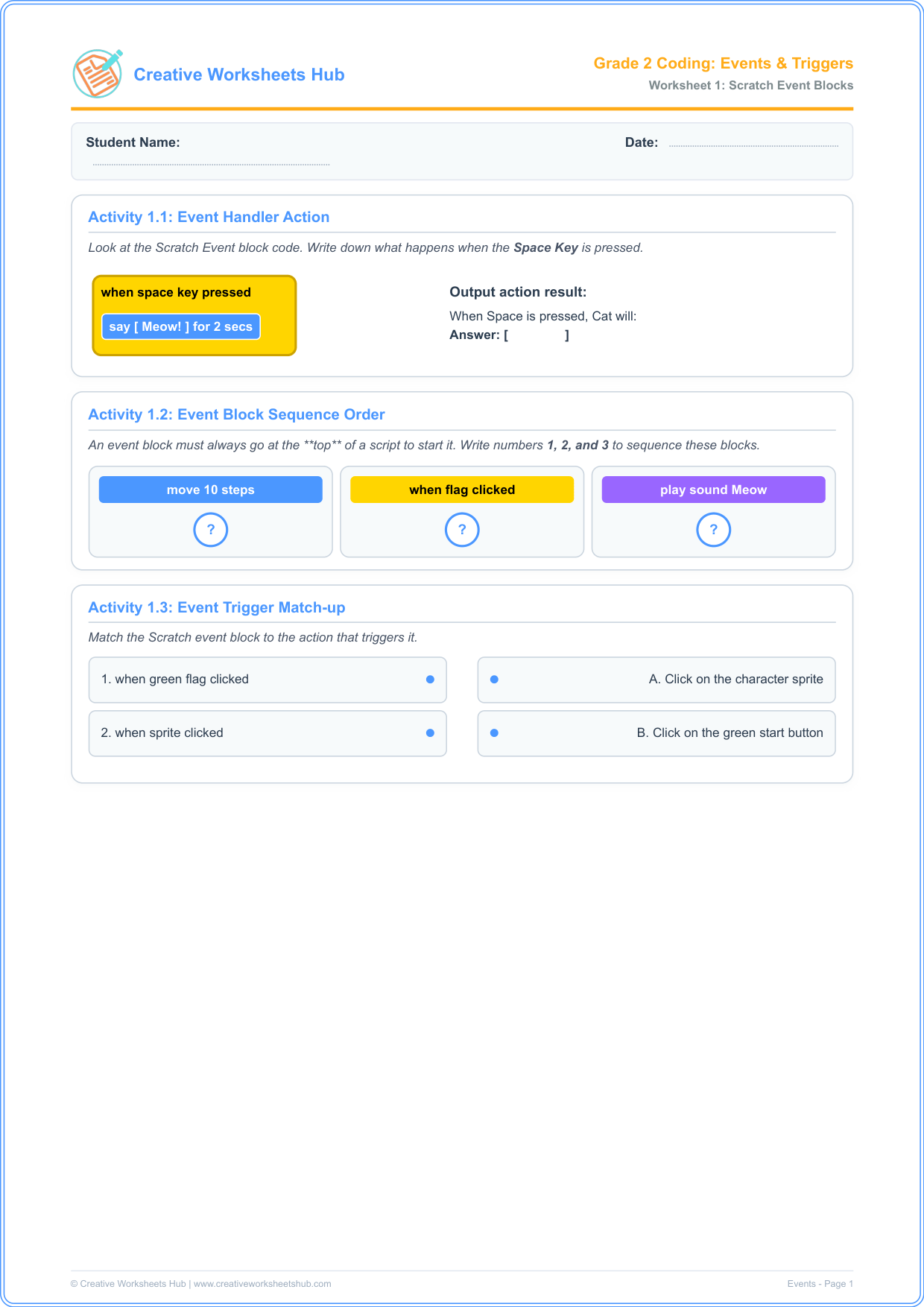
- Activity 1.1: Event Handler Action — Analyze a key-press block (“when space key pressed”) and determine its output text. This teaches kids how event listeners trigger actions.
- Activity 1.2: Event Block Ordering — Sequence Scratch blocks by identifying that event trigger blocks must always sit at the top.
- Activity 1.3: Event Trigger Match-up — Match interactive Scratch events with their real-life physical triggers.
Worksheet 2: Key Handlers & Custom Click Events
Activity 2.1: Directional Key Triggers — Complete motion blocks triggered by arrow keys (Up, Down, Left, Right) to build keyboard control systems.
Activity 2.2: Event Trigger Debugger — Find and correct the logic bug where pressing the Right arrow moves the sprite Left.
Activity 2.3: Custom Click Event Design — Draw a custom “Boost” button and write what action block executes when clicked, introducing game design logic.
How to Teach Event Triggers to Second Graders
To run these **game design logic for second grade** activities successfully with students:
The Keyboard Game: Before writing, act as the computer. Tell the students: “When I say CLAP, clap your hands. When I say JUMP, jump up”. Explain that CLAP and JUMP are events, and clapping/jumping are the event handlers.
Analyze the Hat Block: Point to the Scratch event block. Explain that it looks like a hat because it goes on top. No other blocks can snap on top of it.
Debug Arrow Logic: In Activity 2.2, guide them to notice that the event block (Right Arrow) does not match the motion block (Move Left). Fixing this matches the event to the correct action.
Teacher & Parent Answer Key
Worksheet 1 Solutions:
Activity 1.1: When Space is pressed, the Cat will say Meow!.
Activity 1.2: “when flag clicked” (1), “move 10 steps” (2), “play sound Meow” (3).
Activity 1.3: when flag clicked ➔ Click green start; when sprite clicked ➔ Click on character.
Worksheet 2 Solutions:
Activity 2.1: Up arrow ➔ move Up; Down arrow ➔ move Down; Left arrow ➔ move Left.
Activity 2.2: Correct block code should be: move Right 1 step.
Activity 2.3: Student drawing of button; Block inside should show a custom motion or size block (e.g. change size by 10).
Frequently Asked Questions (FAQs)
What is an event in programming?
An event is an action or occurrence that the computer can detect, such as clicking a mouse, pressing a key, or a timer running out.
Why does Scratch use event blocks at the top?
Scratch uses event blocks (which have a rounded top shape called “hat blocks”) to start code execution. Without an event block, a stack of code commands will never run.
Are these worksheets aligned with US K-12 Computer Science Standards?
Yes! They align with CSTA Standard 1B-AP-10: “Create programs that include sequences, events, loops, and conditionals.” This is standard for US 2nd grade classrooms.
What are some common coding events?
Common events include clicking a “Start” button, keypresses (like space or arrow keys), or sprite collisions. In web pages, clicking a link or submitting a form is also an event.
How can I print these worksheets?
Simply click the download button above. The files are compiled in high-resolution, print-ready A4 PDF format that fits standard letter size paper for easy printing at school or home.
Do children need computer access to complete this?
No! These **scratch programming events** worksheets are completely unplugged and offline. They are designed to teach computer science concepts without screens.