Learning how computers make decisions based on rules is a critical computational thinking step. Our free printable conditionals coding worksheets introduce IF-THEN-ELSE decision trees, logical conditional loops, and real-world rule-based algorithms. For parents and educators searching for **conditionals coding worksheets first grade** or **if then else worksheets for kids**, this offline printable pack is the ideal learning resource.
What Are Conditionals in Computer Programming?
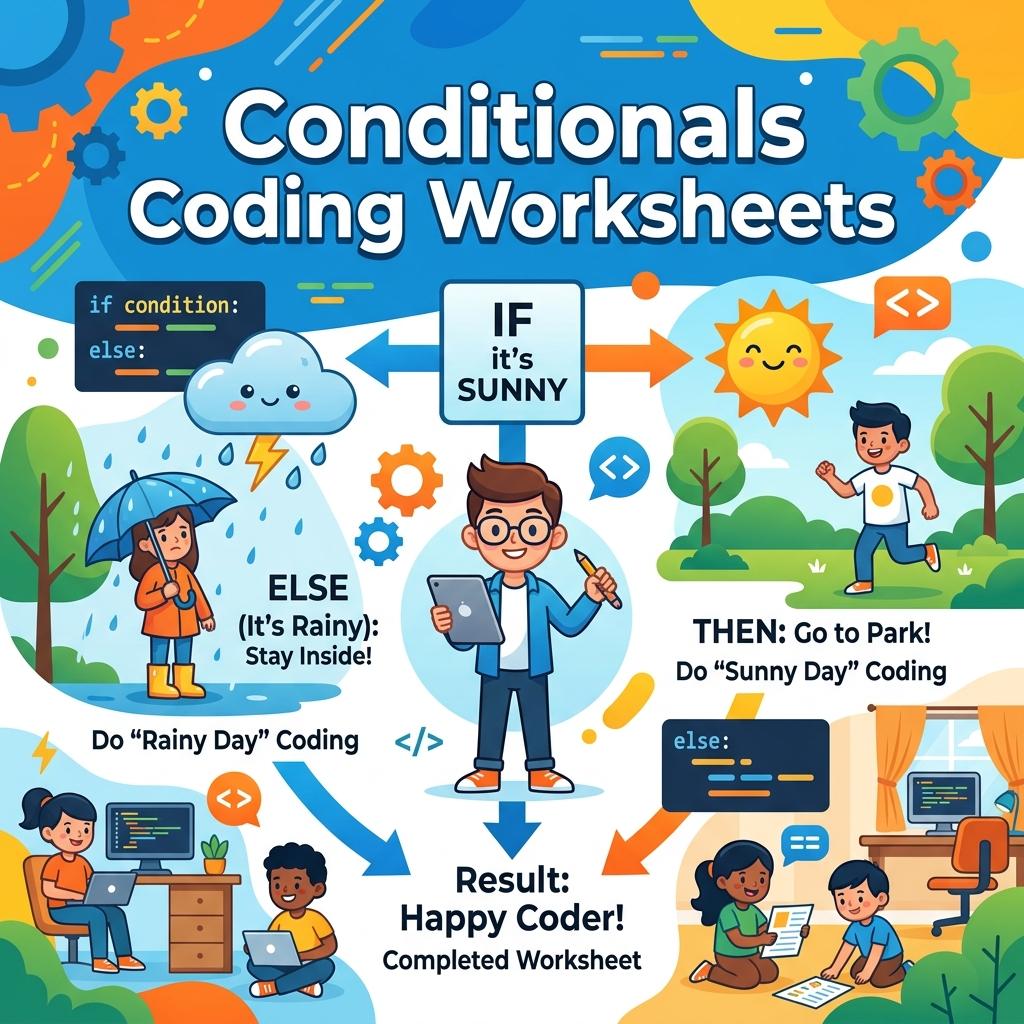
Computers do not think on their own. Instead, they follow rules. A conditional is an instruction that runs only if a specific rule (condition) is true or false. In Scratch and Code.org, this is represented by “IF… THEN” blocks. Our **elementary conditional logic coding** worksheets teach these rule-based pathways screen-free. Using fun, visual activities (like coloring shapes based on side counts or checking traffic rules), first graders learn to evaluate logical statements and determine the correct output action. This sets a solid foundation for branching logic and variable checks in coding.
Additionally, using **screen free programming conditionals** helps children connect abstract computer science rules to their daily decisions. For instance, “IF it is raining ➔ wear boots; ELSE ➔ wear sneakers” is a conditional logic loop they execute every day! Linking these real-world routines to code helps demystify algorithmic thinking.
What’s Included in This Free PDF Pack?
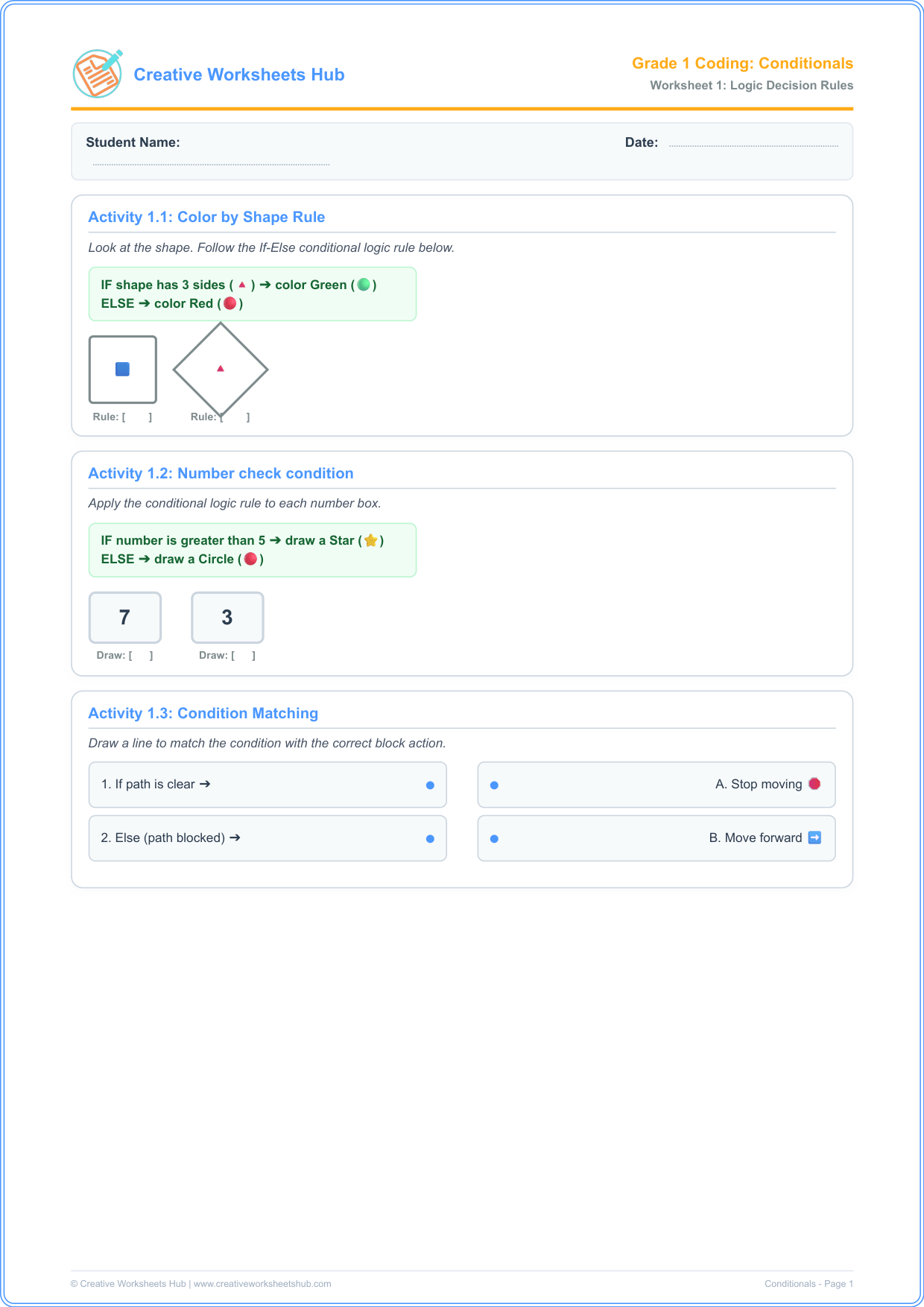
This package contains two classroom-ready **decision tree coding worksheets** pages with 3 activities each, designed to cover the page densely with engaging visual cards:
Worksheet 1: Conditional Rules & Coding Logic
- Activity 1.1: Color by Shape Rule — apply the rule: “IF shape has 3 sides ➔ color Green; ELSE ➔ color Red” to various shapes. This teaches kids to evaluate geometric attributes logically.
- Activity 1.2: Number Check Condition — apply: “IF number > 5 ➔ draw a Star; ELSE ➔ draw a Circle” to target numbers, linking math inequalities with code logic.
- Activity 1.3: Condition Match-up — Draw lines linking conditional inputs (e.g. Path is clear) to their program outputs (e.g. Move forward).
Worksheet 2: Everyday Algorithms & Decisions
- Activity 2.1: Traffic Light Rules — color a stoplight based on: “IF light is Red ➔ Stop; ELSE IF light is Yellow ➔ Slow; ELSE ➔ Go”, introducing nested conditionals.
- Activity 2.2: Animal Features Logic — solve conditional queries: “IF animal has wings ➔ draw Feathers; ELSE ➔ draw Fur”.
- Activity 2.3: Weather Decisions — complete decision logic: “IF raining ➔ draw Umbrella; ELSE ➔ draw Sunglasses” for a sunny day.
How to Teach Conditionals Without Screens
To run these **logical reasoning worksheets grade 1** activities successfully with young coders:
- Play “Simon Says IF”: Introduce the concept with a movement game. Tell the students: “IF you are wearing blue ➔ jump up; ELSE ➔ touch your toes”. This active play helps first graders execute conditional paths physically.
- Deconstruct the Rule: Break down the shape rule in Activity 1.1. Ask: “A square has how many sides? Four. Is four equal to three? No. So, do we follow the IF path or the ELSE path? The ELSE path, so color it Red!”.
- Guided Practice: In Activity 2.1, discuss what a car does at a red light to show how automated machines follow rules.
Teacher & Parent Answer Key
Worksheet 1 Solutions:
- Activity 1.1: Blue Square has 4 sides ➔ Red; Triangle has 3 sides ➔ Green.
- Activity 1.2: Number 7 is greater than 5 ➔ Draw a Star; Number 3 is less than 5 ➔ Draw a Circle.
- Activity 1.3: If path clear ➔ Move forward; Else ➔ Stop.
Worksheet 2 Solutions:
- Activity 2.1: Red light ➔ Checkbox: Stop.
- Activity 2.2: Bird has wings ➔ Checkbox: Feathers.
- Activity 2.3: Sunny day ➔ Answer: Sunglasses.
Frequently Asked Questions (FAQs)
What are conditionals in coding?
Conditionals are code statements that run only if a specific rule (condition) is true or false. They are the backbone of decision-making algorithms in software.
How do everyday rules teach computer science?
Everyday choices (like opening an umbrella only when it rains) translate directly to programming rules. Showing kids these patterns offline builds computational logic.
Are these worksheets aligned with US K-12 Computer Science Standards?
Yes! They align with CSTA Standard 1A-AP-10: “Model daily processes by creating and following algorithms (sets of step-by-step instructions) to complete tasks.” This includes branching structures for first grade.
What does ‘Else’ mean in coding?
‘Else’ is the fallback option in code. If the first ‘If’ condition is not true, the program automatically runs the code inside the ‘Else’ block.
How can I print these worksheets?
Simply click the download button above. The files are compiled in high-resolution, print-ready A4 PDF format that fits standard letter size paper for easy printing at school or home.
Do children need computer access to complete this?
No! These **conditionals coding worksheets** are completely unplugged and offline. They are designed to teach computer science concepts without screens.