Introducing block-based programming on Scratch or Code.org helps first graders learn how command sequences control on-screen character movements. Our free printable scratch coding worksheets offer a screen-free method to teach motion blocks and directional algorithm logic. If you are looking for premium **scratch coding worksheets grade 1** or need **coding worksheets for first grade** lessons, this A4 PDF collection is the perfect fit.
Demystifying Block-Based Coding for First Graders
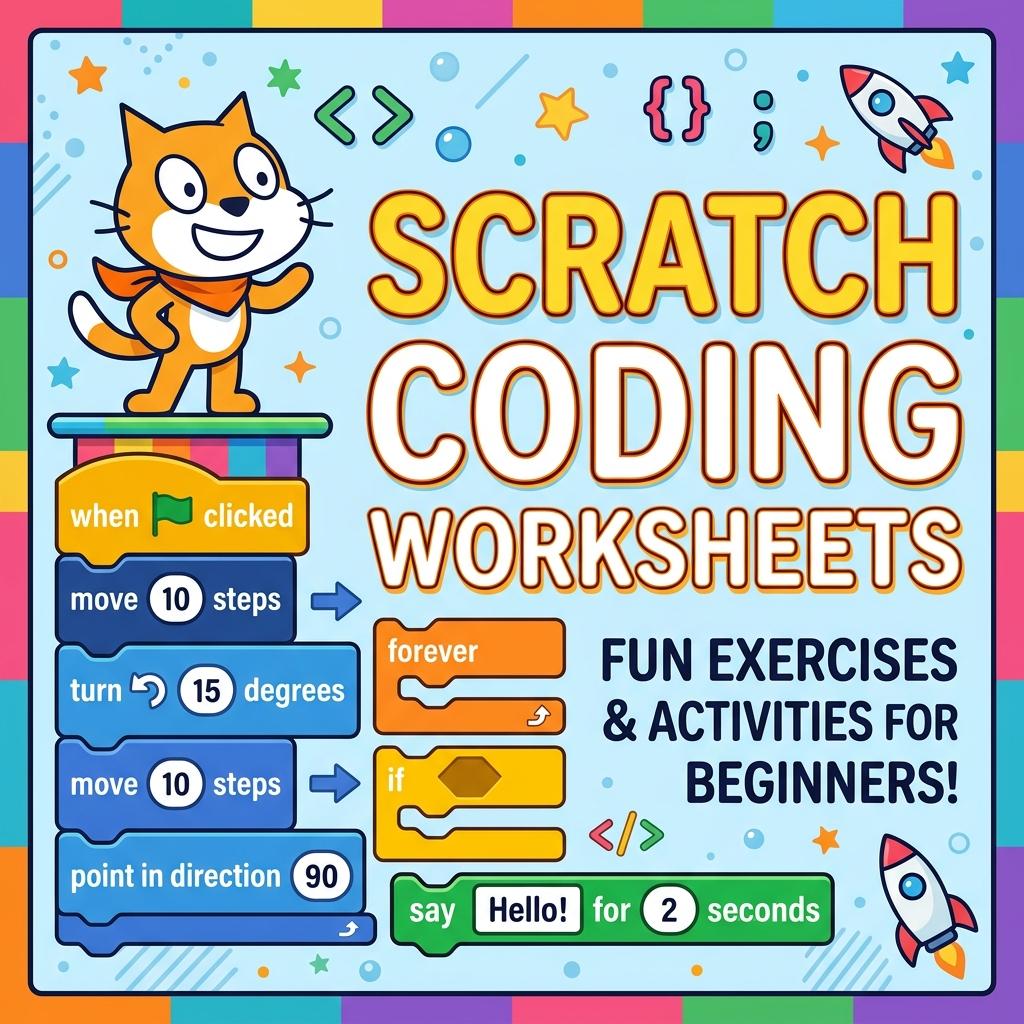
First grade is the ideal window to introduce block-based programming. While learning to type code can be frustrating for 6-year-olds, visual block systems like Scratch and Code.org allow them to focus on the logic. Our **block based programming worksheets** translate these blue motion blocks directly onto paper. By reviewing command stacks (such as “move 10 steps” and “turn right 90 degrees”) screen-free, students learn to visualize code execution before touching a mouse. This is excellent for building the spatial pathing skills required in elementary science curriculums across the United States.
In addition, utilizing **scratch offline activities for elementary** classrooms helps teachers run coding lessons even without access to computer labs or tablets. Kids can draw the Scratch Cat’s path, trace steps, and practice algorithm writing using just a pencil and paper, ensuring that no student is left behind due to technology constraints.
What’s Included in This Free PDF Pack?
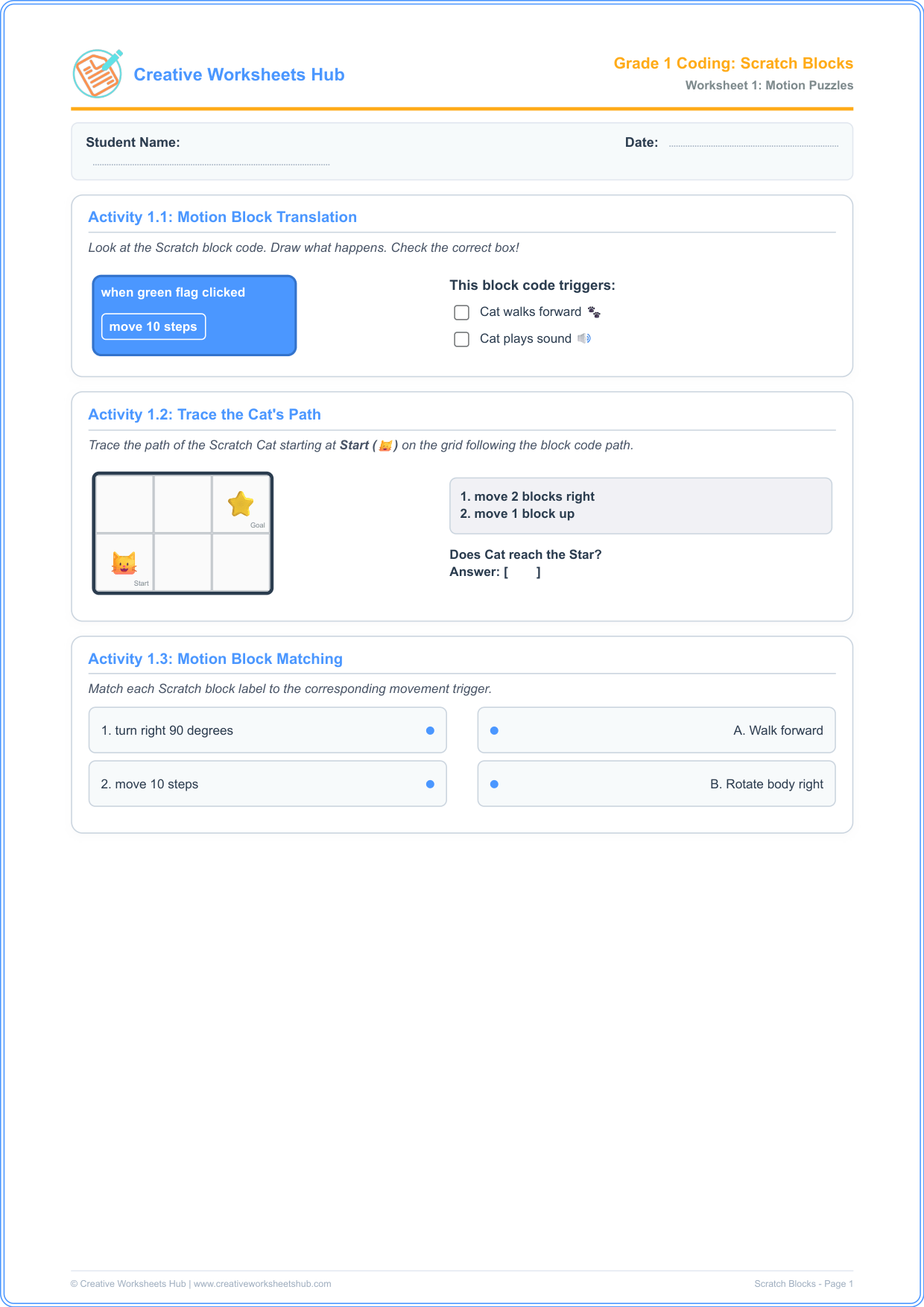
This package contains two classroom-ready **scratch cat coding path activities** pages with 3 activities each, designed to cover the page densely with engaging visual cards:
Worksheet 1: Scratch Motion & Paths
- Activity 1.1: Motion Block Translation — Determine what movement occurs when a sprite executes a Scratch block under a green flag trigger. This helps kids understand event-driven motion.
- Activity 1.2: Trace the Cat’s Path — Draw a path for Scratch Cat starting at the grid center following motion block parameters.
- Activity 1.3: Motion Block Match-up — Match Scratch block labels to their spatial movement actions, cementing block-to-action associations.
Worksheet 2: Maze Algorithms & Loop Prep
- Activity 2.1: Bird Maze Solver — Write a step-by-step sequence (using East, South, West, North blocks) to solve an on-grid path.
- Activity 2.2: Loop Block Compactor — Compress a repetitive command string (like E, E, E) inside a repeating loop block structure, introducing loops.
- Activity 2.3: Debug the Maze error — Identify the error in a sequence that causes the character to hit a stone obstacle.
How to Teach Unplugged Scratch in the Classroom
To run these **teach scratch coding without screens** lessons successfully with first graders:
- Act It Out: Before handing out the papers, have one child act as “Scratch Cat” and another child act as the “Coder”. The Coder reads directions: “Step forward, Turn right, Step forward”. The sprite executes the commands. This physical play helps kids connect blocks to real movements.
- Color Coding: Point out that Scratch blocks have colors. Blue blocks are always for motion. Yellow blocks are always for events. This visual cue helps them find blocks easily on screen later.
- Grid Practice: In Activity 1.2, guide the students to trace the path slowly. Let them use arrows to mark their steps before drawing the final path lines.
Teacher & Parent Answer Key
Worksheet 1 Solutions:
- Activity 1.1: The block moves the sprite forward (Cat walks forward 🐾).
- Activity 1.2: Cat moves right 2 blocks and up 1 block, reaching the Star.
- Activity 1.3: Turn right 90 degrees matches “Rotate body right”; Move 10 steps matches “Walk forward”.
Worksheet 2 Solutions:
- Activity 2.1: The bird path sequence is: E, S, E.
- Activity 2.2: Repeat 3 times: Move East.
- Activity 2.3: Step 2 (S) is wrong (it runs the bird into a stone). It should be East.
Frequently Asked Questions (FAQs)
What are Scratch action blocks?
Scratch action blocks are colored programming instructions used to change a sprite’s motion, speech, or sounds. Motion blocks are color-coded blue.
How do loops simplify code?
Loops instruct the computer to repeat a set of actions multiple times. This makes code shorter, cleaner, and much easier to read and maintain.
Are these worksheets aligned with US K-12 Computer Science Standards?
Yes! They align with CSTA Standard 1A-AP-11: “Deconstruct (break down) the steps needed to solve a problem into a precise sequence of instructions.” This is standard for US 1st grade classrooms.
Can these activities be used for other block languages?
Absolutely! The sequence logic of “motion and turns” translates directly to Blockly, Code.org, ScratchJr, and LEGO Spike programming languages.
How can I print these worksheets?
Simply click the download button above. The files are compiled in high-resolution, print-ready A4 PDF format that fits standard letter size paper for easy printing at school or home.
Do children need computer access to complete this?
No! These **scratch coding worksheets** are completely unplugged and offline. They are designed to teach computer science concepts without screens.