As second graders transition from basic arrow commands into block-based coding, understanding repetition is a massive educational breakthrough. Repeating the same instruction multiple times by hand is tedious and error-prone. In programming, loops solve this problem instantly. Our free printable scratch loop blocks worksheets introduce Grade 2 students to repeat blocks, forever loops, and algorithmic compaction screen-free. Designed specifically for teachers, homeschoolers, and STEM mentors in the United States, this hands-on collection connects computer science concepts to creative movement, drawing, and mathematics.
Why Teaching Loops in Grade 2 Builds Computational Mastery
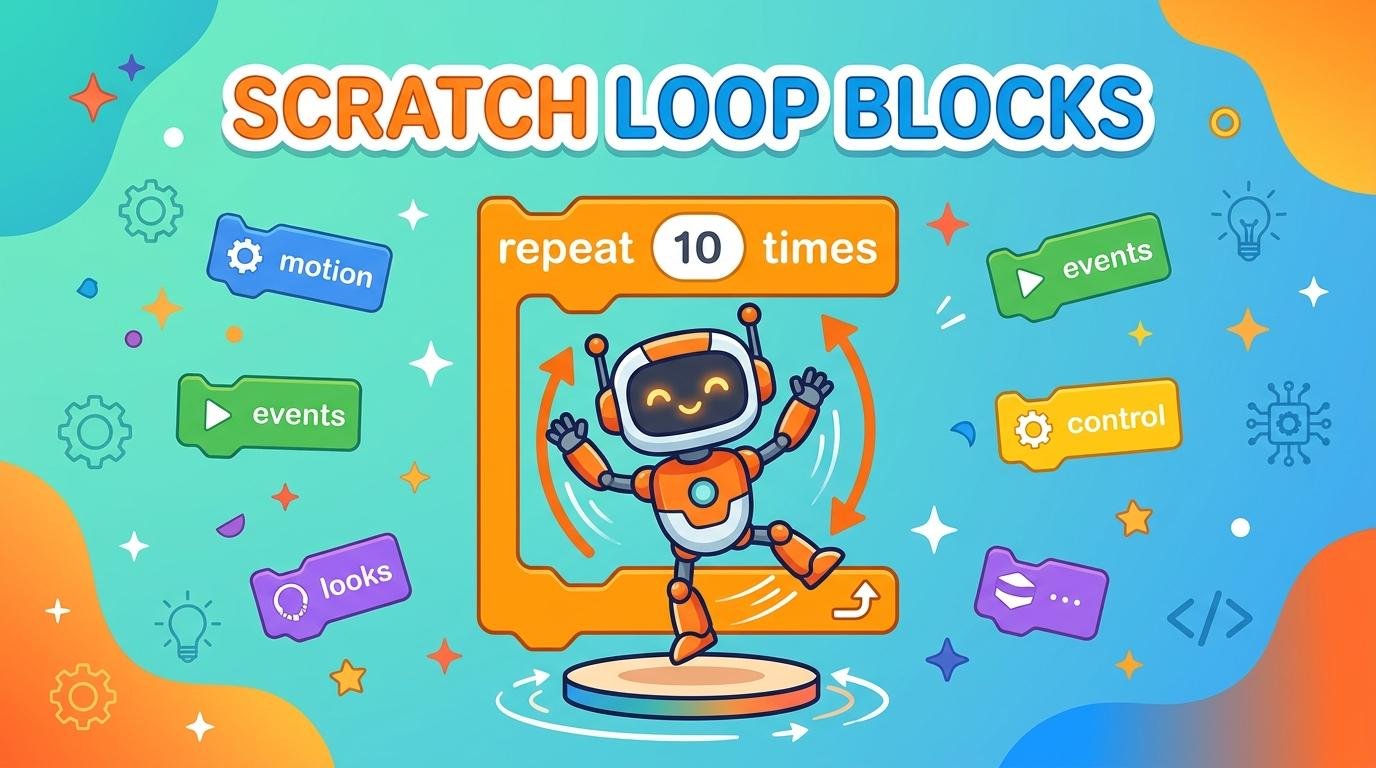
In computer programming, a loop is a structure that repeats a sequence of instructions until a specific condition is met or forever. In platforms like MIT Scratch and Code.org, control blocks are bright orange “C-shaped” blocks that wrap around other commands. When 7-year-old learners discover **scratch loop blocks**, they learn how to make complex animations and games with fewer blocks. Writing three lines of code instead of thirty reduces errors and teaches algebraic thinking.
Furthermore, teaching **how to teach loops in scratch to elementary students** through unplugged paper activities gives children a chance to pause and mentally visualize the execution flow. Instead of randomly dragging blocks on a tablet, students analyze how many times a sprite turns, calculate the total steps taken, and spot bugs on paper before testing on screen.
What’s Included in This Free PDF Pack?
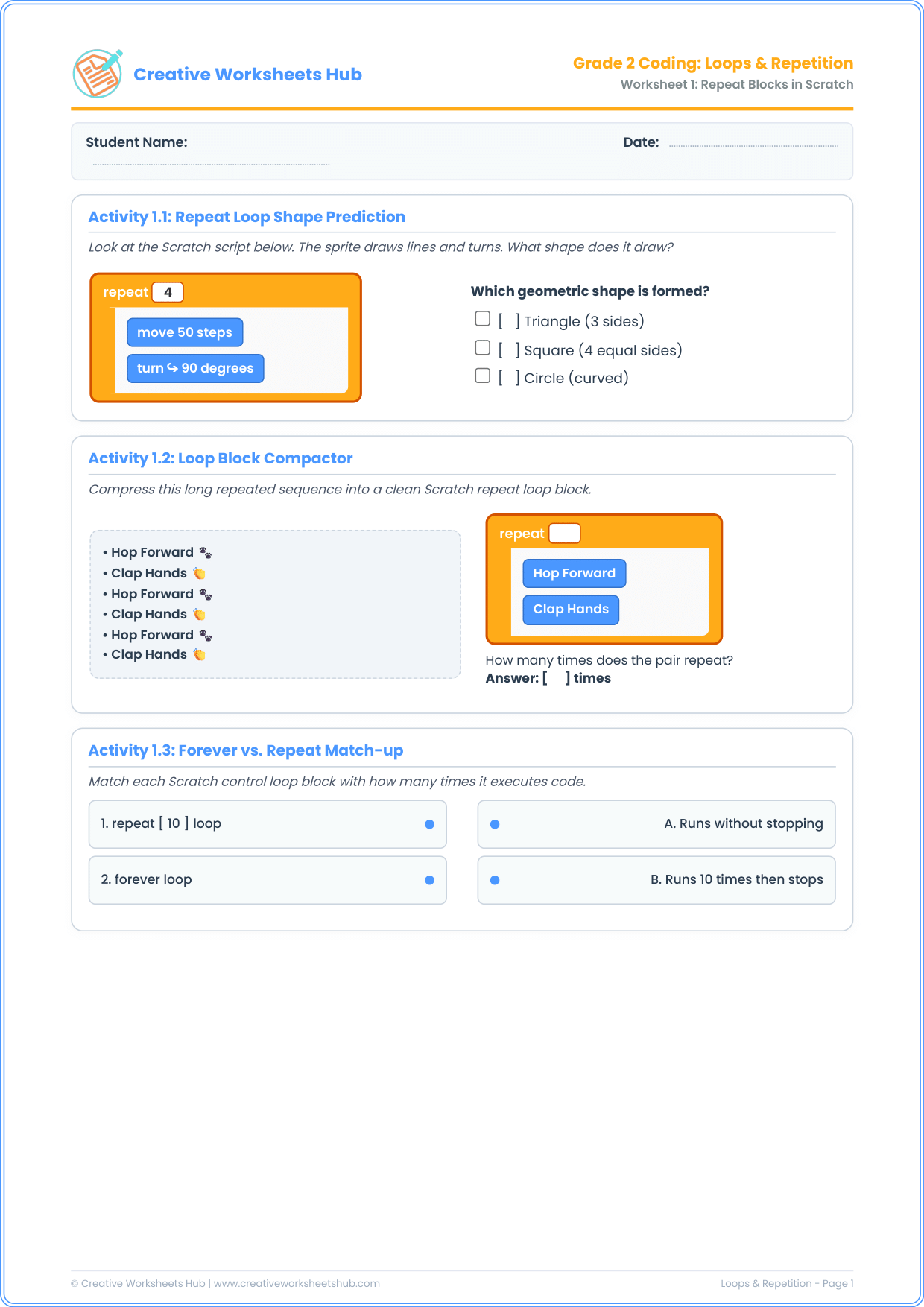
This pack includes two dense, classroom-ready A4 worksheets containing 3 distinct activities per page (6 unique exercises total):
Worksheet 1: Repeat Blocks & Code Compaction
- Activity 1.1: Repeat Loop Shape Prediction — Students analyze a
repeat (4) [move 50 steps, turn right 90 degrees]script to deduce that four equal sides and 90-degree corners create a geometric square. - Activity 1.2: Loop Block Compactor — A long, repetitive movement routine (Hop, Clap, Hop, Clap, Hop, Clap) is compressed into a clean Scratch repeat loop block with an accurate count of 3.
- Activity 1.3: Forever vs. Repeat Match-up — Connects finite repeat loops (which stop after a count) with infinite forever loops (which continue indefinitely until stopped).
Worksheet 2: Dance Routines & Loop Step Calculations
- Activity 2.1: Robot Dance Routine — Children trace a multi-step dance algorithm inside a repeat 3 loop to calculate total steps right, steps left, and 360-degree spins.
- Activity 2.2: Loop Step Math Challenge — Connects second-grade multiplication and repeated addition to coding distance (e.g., 5 repetitions × 10 steps = 50 total steps).
- Activity 2.3: Debug the Endless Spinner Bug — Students act as software detectives to identify why a ballerina sprite spins endlessly instead of stopping after 3 rotations, recognizing the misuse of a forever loop block.
Step-by-Step Lesson Plan for Parents and Teachers
To run an engaging, screen-free computer science lesson with these **repeat blocks scratch elementary activities**:
- Physical Loop Warm-up: Have students stand up. Give instructions: “Clap your hands 4 times.” Then ask: “Did I say ‘Clap, Clap, Clap, Clap’? Or did I give you a loop command?” This demonstrates how natural loops are in human language.
- Identify the C-Block: Show them the orange repeat block on Worksheet 1. Explain that any blocks nestled inside its “mouth” get repeated over and over like a chorus in a song.
- Multiplication Cross-Over: When completing Activity 2.2, guide learners to see that loops are the visual representation of multiplication tables (e.g., 4 groups of 20 steps = 80 steps).
- Debugging Challenge: Emphasize that choosing between
repeatandforeveris one of the most common beginner bugs in Scratch game development.
Teacher & Parent Answer Key
Worksheet 1 Solutions:
- Activity 1.1: Correct choice is Square (4 equal sides). 4 turns of 90 degrees complete a 360-degree perimeter.
- Activity 1.2: Repeat count is 3 times. The pair (Hop Forward + Clap Hands) repeats 3 times.
- Activity 1.3: 1 (repeat 10) matches B (Runs 10 times then stops); 2 (forever) matches A (Runs without stopping).
Worksheet 2 Solutions:
- Activity 2.1: Steps right = 3; Total spins = 3.
- Activity 2.2: Script 1: 5 × 10 = 50 steps; Script 2: 4 × 20 = 80 steps.
- Activity 2.3: The bug is: Used forever instead of repeat 3. A forever loop never terminates on its own.
Frequently Asked Questions (FAQs)
What are Scratch loop blocks?
Scratch loop blocks are orange control blocks that repeat a stack of programming commands. They include the `repeat (10)` block, the `forever` block, and the `repeat until` condition block.
What is the difference between a repeat block and a forever block in Scratch?
A repeat block executes the enclosed scripts a fixed number of times and then allows the program to move on to the next block. A forever block never stops executing until the user clicks the red stop button or an exit trigger occurs.
How do loop worksheets align with US K-12 Computer Science Standards?
These exercises directly fulfill CSTA Standard 1B-AP-10: “Create programs that include sequences, events, loops, and conditionals.” They also support Common Core Math standards for repeated addition and early multiplication.
Can these activities be used in screen-free STEM classrooms?
Yes! These worksheets are 100% unplugged. They allow teachers in computer labs or classrooms without dedicated devices to teach foundational computational thinking using pencil and paper.
What grade levels are these worksheets best suited for?
While optimized for Grade 2 (ages 7–8), they are also fantastic review materials for Grade 3 beginners and can be used for advanced first graders who have mastered directional arrow sequencing.
How do I print these worksheets?
Click the download link above to get the full-resolution, print-ready PDF. It is formatted for standard A4 and scales seamlessly to US Letter size (8.5 × 11 inches) without any clipping.